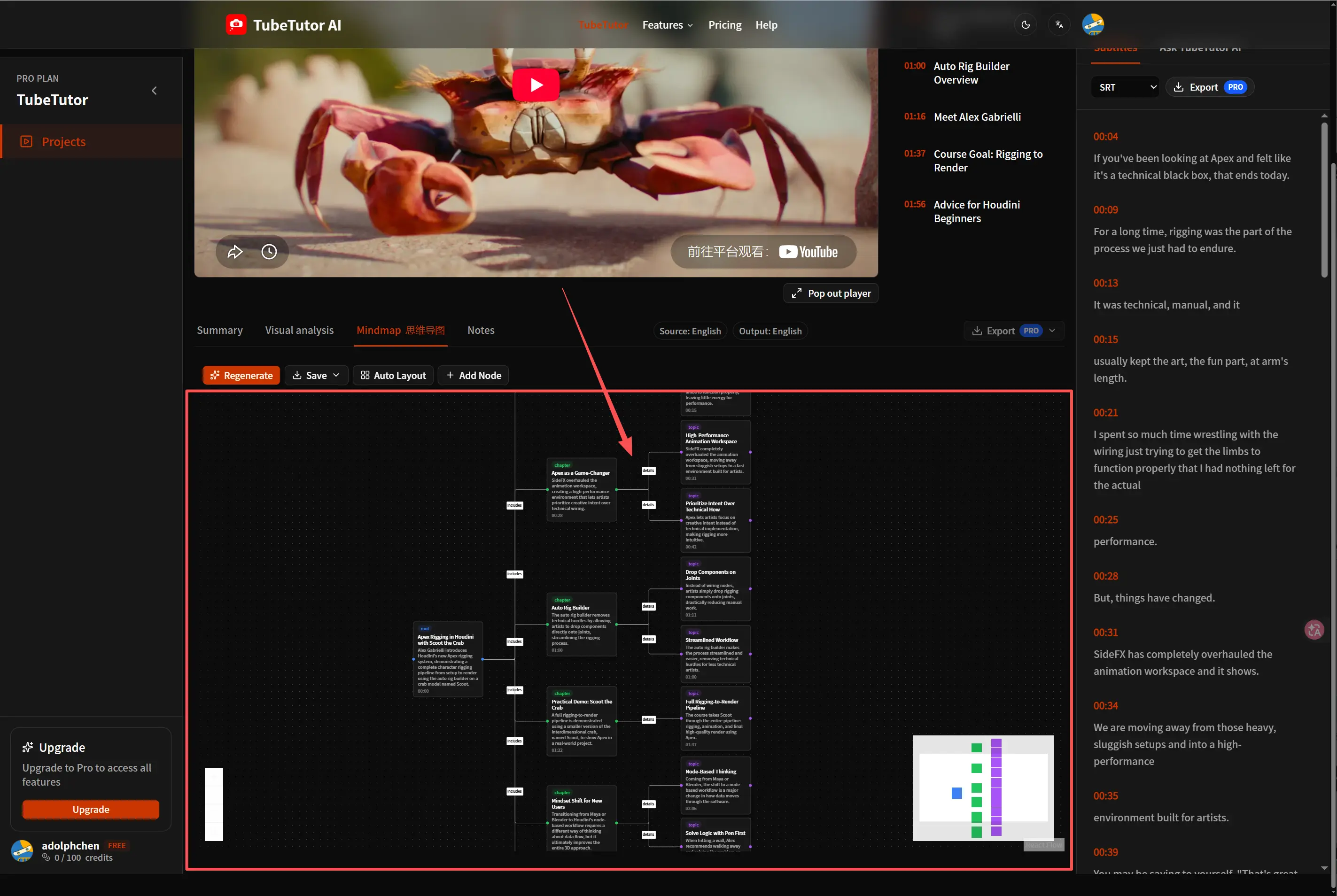
如何把 YouTube 视频转成可编辑的思维导图
将较长的 YouTube 教程转换成可编辑的思维导图,学习如何检查字幕和章节、调整节点与分支结构,并让导图始终与源视频、摘要及个人学习笔记保持关联,方便复习和查证重要内容。
为什么要把 YouTube 视频转成思维导图?
一部长教程可能包含一条很有价值的学习路径,但在观看过程中,这条路径通常并不直观。讲解者先引入主题,再说明几个支撑观点、演示具体流程,之后又回到前面提过的概念。当这些信息全部留在视频时间轴里时,复习就意味着反复播放大段内容,或在零散笔记中来回查找。
思维导图改变了信息的呈现方式。它把核心观点放在中心,将相关主题、步骤、示例和决策整理成彼此相连的分支。再次观看前,你可以先快速浏览整体结构,找出自己尚未理解的部分,并补充个人笔记,而不必重写整部视频的内容。
关键不只是生成一张图片。真正有用的视频思维导图,应当与支撑它的字幕和章节保持关联。TubeTutor 会在同一个项目中创建这些学习材料,让你可以从简短的节点返回详细讲解,而不是把 AI 生成的内容当作独立信息来源。
开始前需要准备什么
选择一个公开或以其他方式可访问的 YouTube 教程、课程、访谈或知识类视频。结构清晰的视频通常能生成更清楚的导图,因为其中的主题和转折更容易识别。如果视频音质较差、多人同时说话,或几乎没有口头讲解,首次生成后可能需要更多编辑。
你还需要决定项目使用哪种语言。TubeTutor 可以保留源语言,也可以用其他受支持的语言生成项目内容。请在预检阶段完成选择,以便字幕、章节、摘要和思维导图使用一致的语言。
第 1 步:复制 YouTube 视频链接
打开想要学习的视频,从浏览器地址栏或 YouTube 分享菜单中复制链接。主题集中的视频比互不相关的片段合集更容易整理成导图。处理视频前,先想清楚你希望导图帮助自己完成什么:
- 理解一个较难的概念;
- 跟随包含多个步骤的教程;
- 准备复习笔记;
- 比较几种不同的论点;或
- 把视频转成可重复使用的知识资料。
这个目的会决定你之后如何编辑。复习导图可能更强调定义和关系,而教程导图则更适合按照前置条件、操作步骤和检查项来组织。
第 2 步:把链接粘贴到 TubeTutor
打开 TubeTutor YouTube 思维导图生成器,将链接粘贴到输入框。
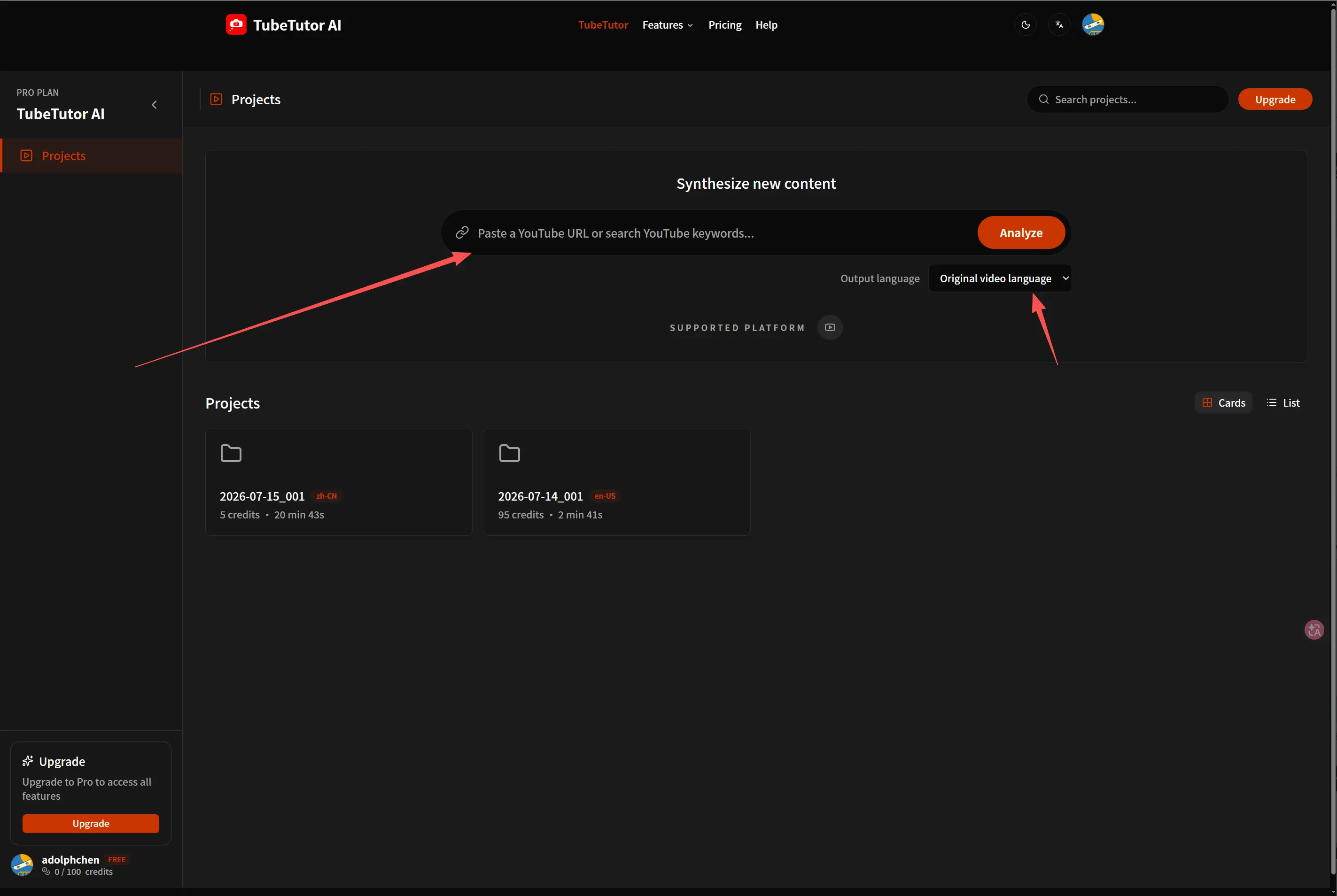
创建项目前,TubeTutor 会先检查视频。登录后,请核对识别到的标题、源语言、字幕可用情况、时长、输出语言和当前预计消耗的积分。有原生字幕时会优先使用;如果视频没有可用字幕,预检会提示需要进行 AI 转录。思维导图功能需要登录并保存项目;访客预览仅能为本地自然日内最多两个不同的视频临时生成字幕、章节和摘要。
这个检查点很重要,因为思维导图依赖已经处理的字幕和项目上下文。如果显示的视频或语言不对,请在分析前改正,以免之后再编辑本可避免的问题。
第 3 步:检查字幕、章节和摘要
确认后,TubeTutor 会创建项目并处理基础学习材料。先检查同步字幕和章节大纲。点击几个时间戳,对照原视频核实重要词语、人名和专业术语。
首次自动生成的摘要能让你更快了解主要观点。把它作为帮助建立整体认识的内容,而不是源视频的替代品。如果摘要和章节准确反映了视频的真实结构,你就有了更可靠的思维导图基础。如果字幕中的关键术语有误,要留意同一错误也可能影响生成的节点。
第 4 步:生成思维导图
打开 TubeTutor 工作区中的思维导图区域,发起生成。TubeTutor 会利用项目字幕和上下文,将核心主题与相关观点整理成图谱。
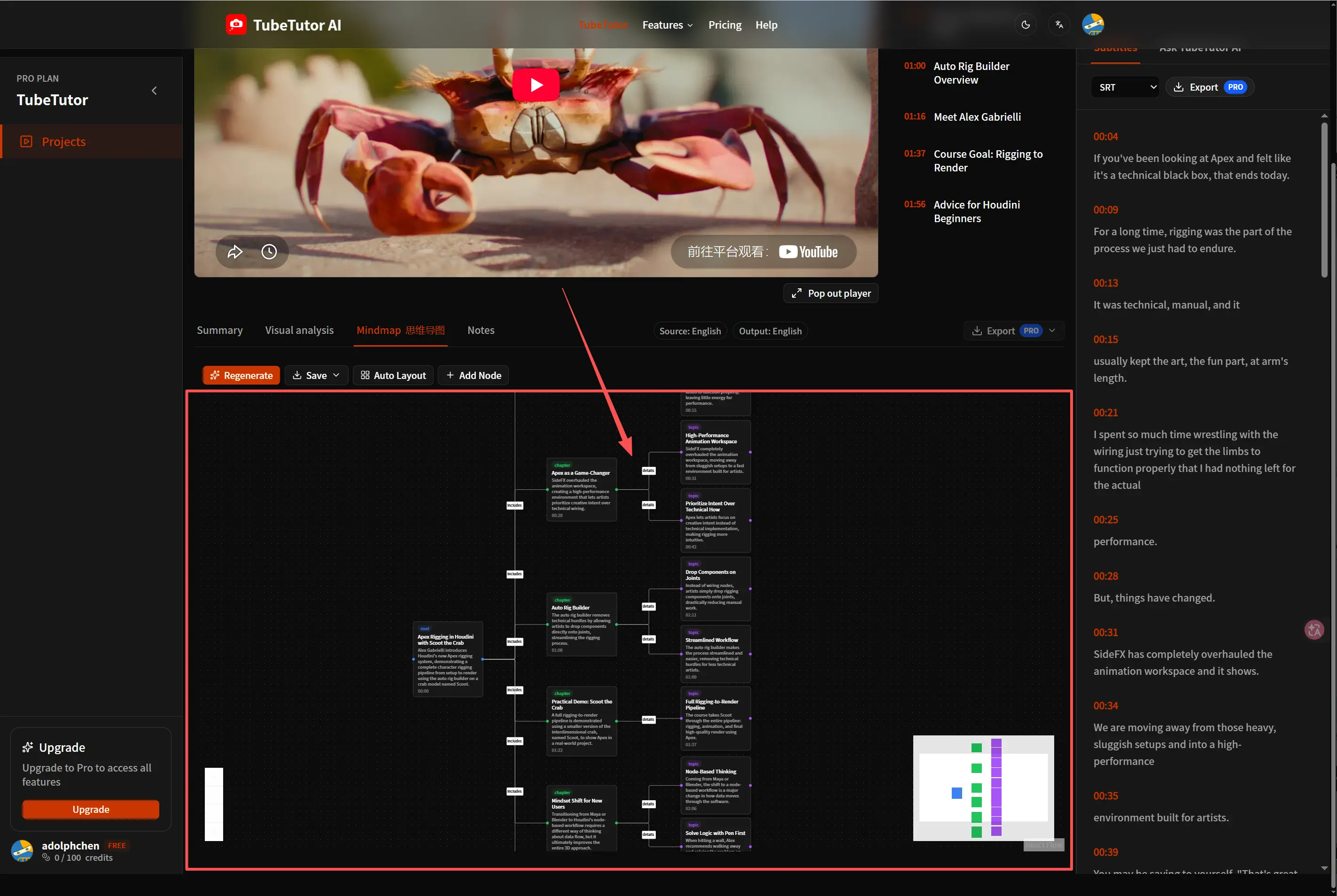
首次生成的导图会把视频的主要主题和相关细节整理成可浏览的视觉结构。
从中心向外阅读第一次生成的结果。检查中心节点是否准确概括了真正的主题、一级分支是否代表彼此不同的主题,以及详细节点是否位于正确的父节点下。视觉上均衡的导图并不一定准确,因此遇到出乎意料的分支时,应当对照字幕或源视频核实。
第 5 步:根据学习目标编辑导图
生成的导图是一份可以继续完善的初稿。你可以重命名含义模糊的节点、删除重复内容、把信息移到更合适的父节点下,并添加自己的问题或示例。节点标签应当足够简短,便于快速浏览,但不要为了精简而让含义变得模糊。
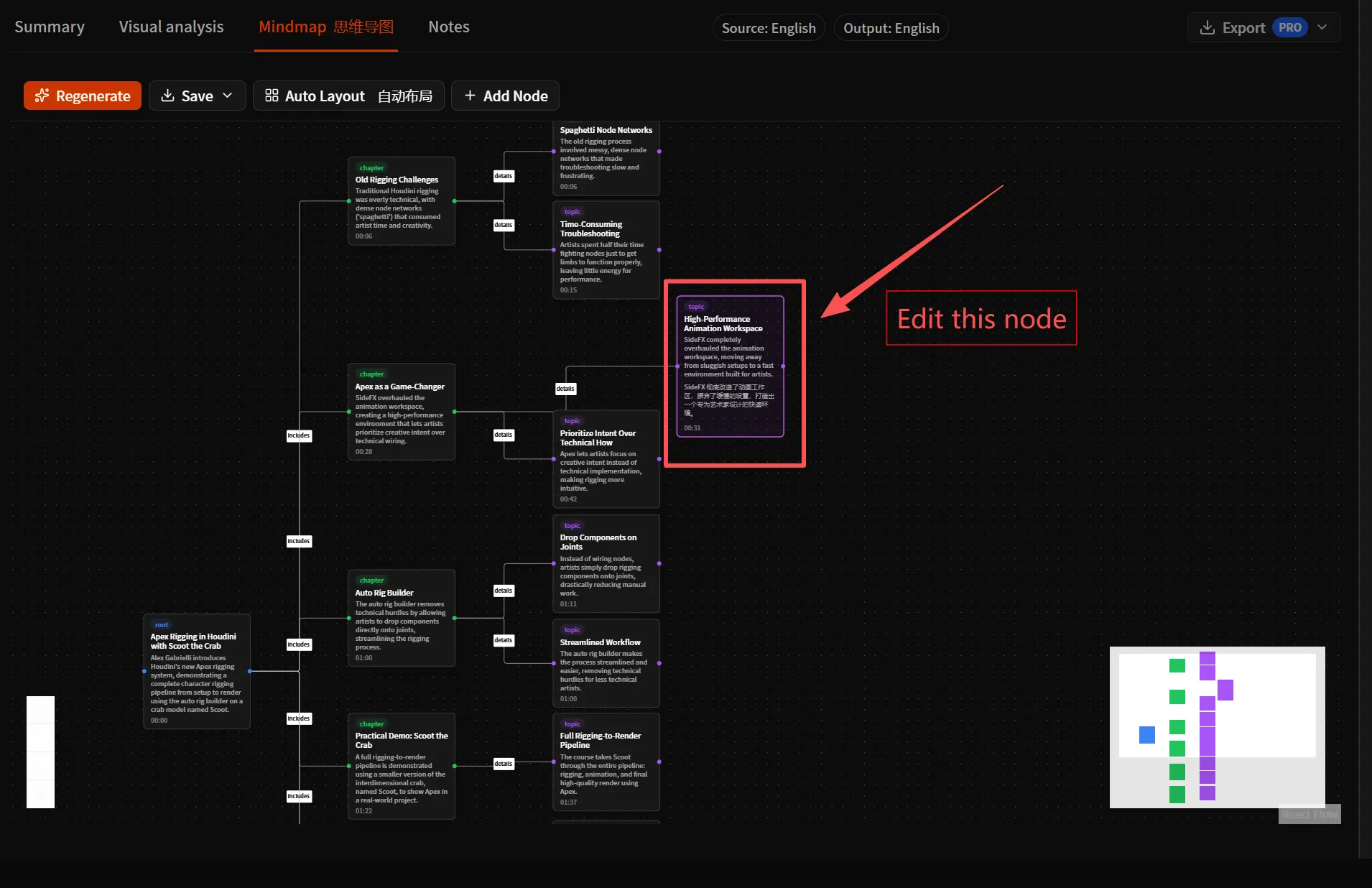
重命名生成的节点,使其措辞更符合你自己的学习用语。
一次实用的编辑可以分为三个阶段:
- 纠正原意。 修正与视频不符的人名、术语或关系。
- 减少重复。 合并那些用略有不同的说法解释同一观点的分支。
- 补充个人理解。 加入问题、示例、与既有知识的联系,或你准备采取的行动。
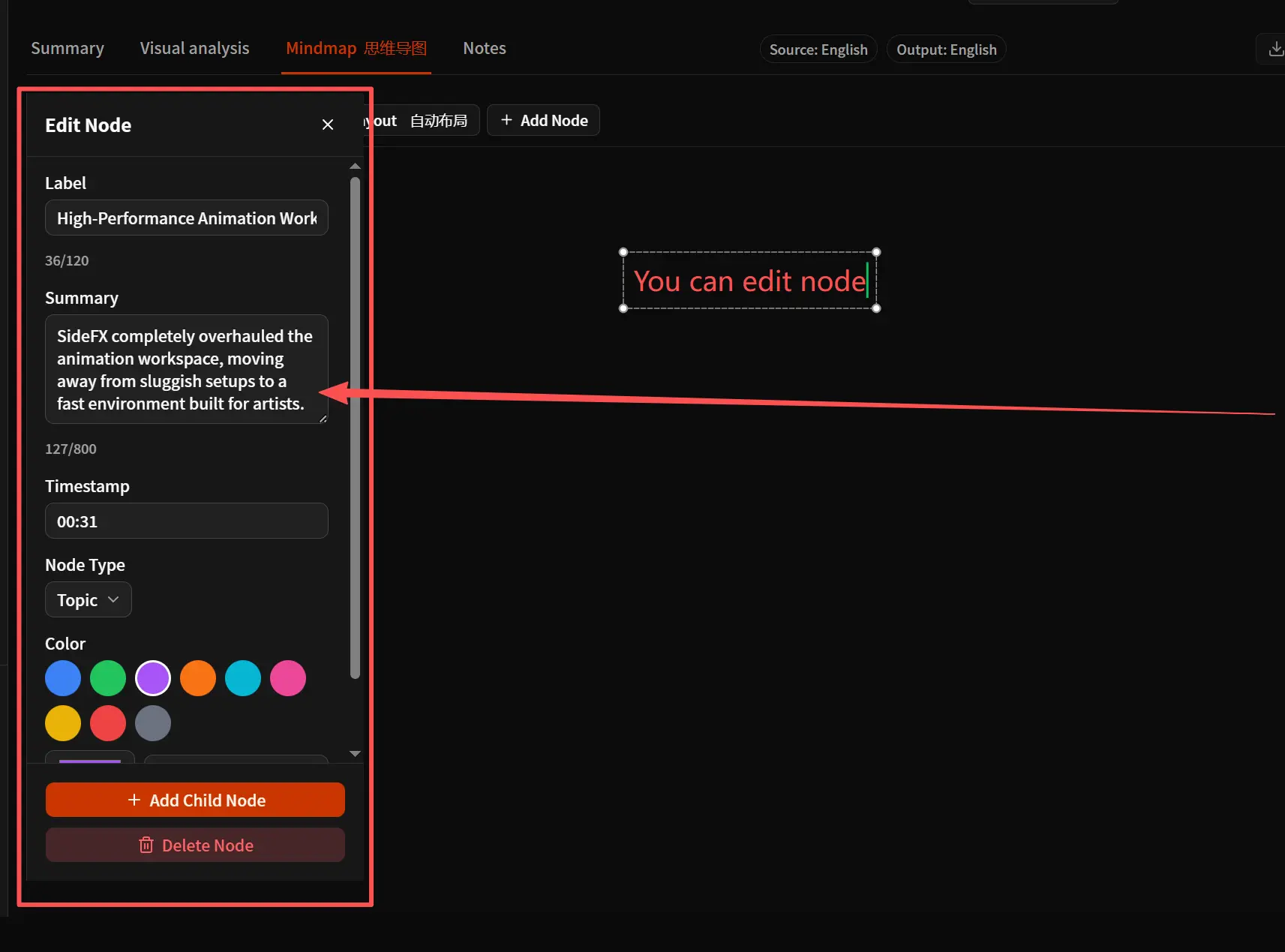
将生成的观点与字幕和视频核对后,再调整分支结构。
第 6 步:把导图与项目中的其他内容配合使用
思维导图融入更完整的学习流程时,价值最大。你可以通过章节返回完整段落,用字幕核实准确措辞,再用摘要回顾整体论述。这样,导图就不再是孤立的 AI 生成内容,而会成为帮助导航和回忆的工具。
例如,你可以:
- 收起分支,测试自己能否回忆起隐藏的细节;
- 把一级分支改成复习清单;
- 给仍不清楚的节点添加问题;
- 为两个视频分别制作导图,再进行比较;或
- 需要离线参考时,导出符合条件的学习材料。
如果你使用 Notion,符合条件的用户可以将受支持的学习内容发送到自己的知识工作流中。与团队分享或将生成内容作为定稿资料前,请先仔细检查。
应避免的常见错误
保留每一个生成的节点
节点更多并不一定意味着理解得更深入。删除价值较低的重复内容,并让整体结构始终服务于你的目标。
把导图当作信息来源
YouTube 视频才是原始来源。AI 生成的标签可能简化或误解某个观点,尤其是在字幕本身有误时。请用带时间戳的材料核实重要说法。
混合多个学习目标
如果一张导图同时想充当逐字稿、复习指南、项目计划和完整档案,就会变得难以浏览。先确定一个主要用途;需要另一种结构时,再创建一个版本。
跳过编辑环节
个人编辑是把通用生成导图变成实用学习工具的关键。即使只做少量修改——例如重命名中心节点、重新组织主要分支并加入问题——也能让结果更容易记忆和重复使用。
什么情况下适合使用思维导图
当视频讲解关系、分类、流程或多个相互关联的观点时,适合使用思维导图。如果准确措辞更重要,同步的 YouTube 字幕 更合适;如果只需要快速了解线性梗概,YouTube 视频摘要 更合适。TubeTutor 会把这些形式保存在同一个项目中,让你可以根据任务选择合适的表达方式,而不是强行把每个视频都套用到一种输出格式中。
创建你的第一份可编辑视频思维导图
从一部结构清晰的教程和一个明确的学习目标开始。将视频粘贴到 TubeTutor YouTube 思维导图生成器,核对字幕和章节,生成导图,再花几分钟进行调整。最终结果应该能帮助你理解视频结构,并在需要证据或细节时随时返回原始讲解。
更多文章
什么是视频视觉分析?AI 如何读懂字幕之外的画面信息
视频视觉分析不只处理语音和字幕,还会识别画面中的操作步骤、界面文字、工具、物体、图表与时间点。本文介绍 AI 视频画面分析的工作原理、适用场景、使用方法、结果核对方式与常见限制。

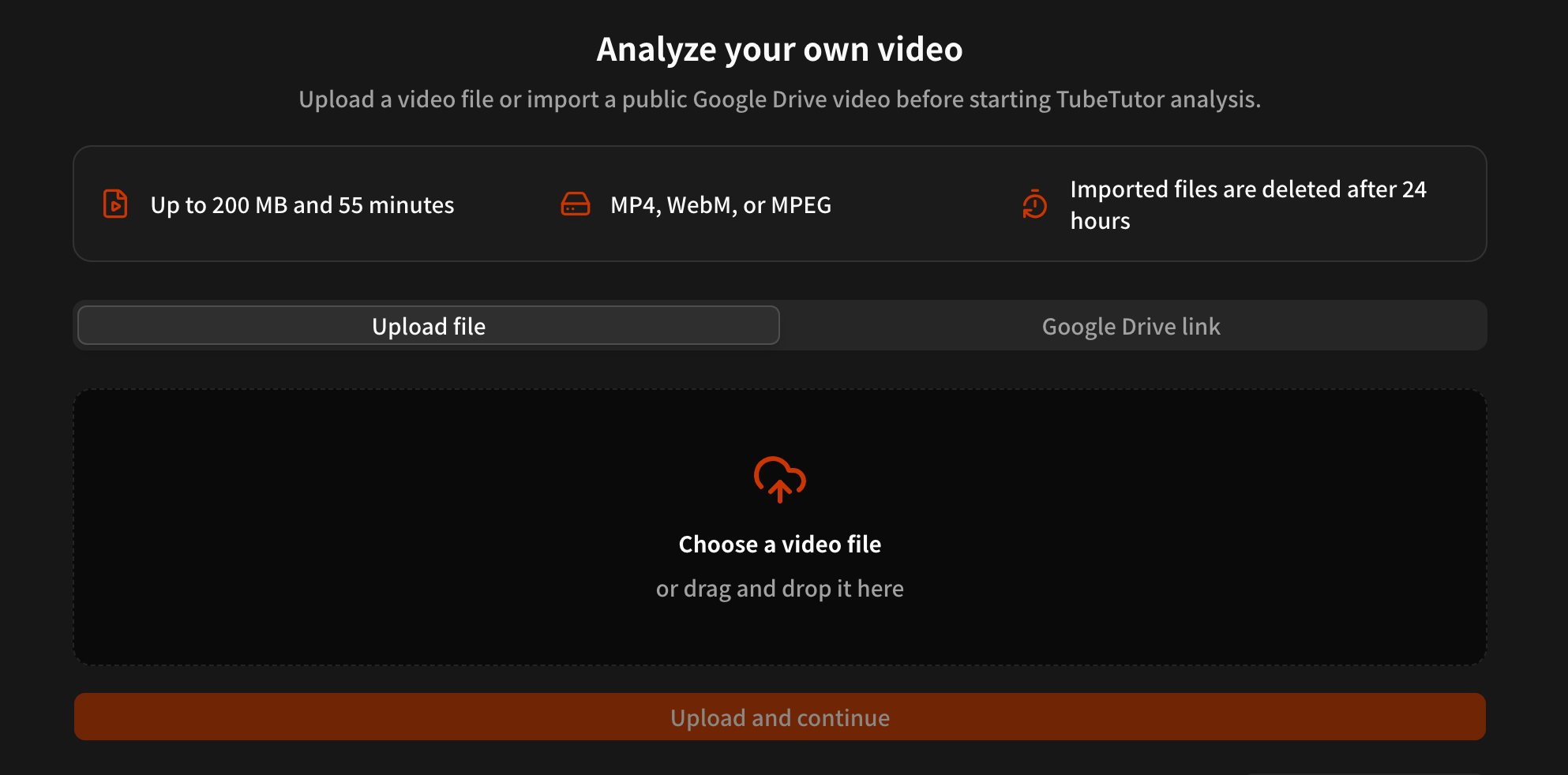
如何用 AI 总结上传视频:会议总结与 Google Drive 使用指南
介绍如何把本地视频或公开的 Google Drive 视频导入 TubeTutor,生成会议总结、课程笔记、字幕和章节,并说明 200 MB、55 分钟限制、支持格式、24 小时删除规则及分享权限设置。
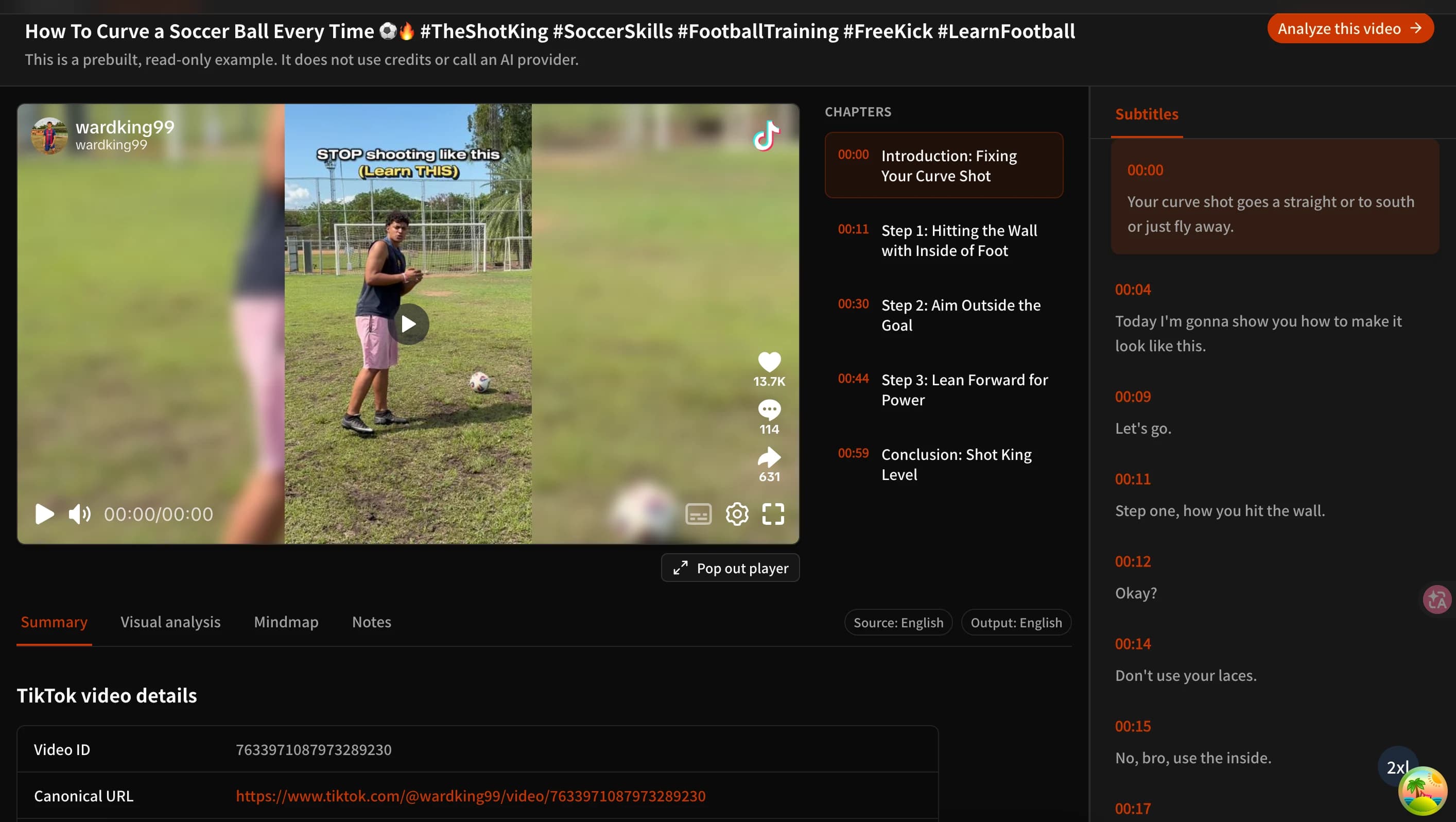
如何用 AI 总结 TikTok 视频(免费 TikTok 视频转文字摘要工具)
介绍三种使用 AI 总结 TikTok 视频的方法:快速筛选内容、提取可用字幕、检查画面信息,并了解如何免费试用 TubeTutor TikTok 视频摘要工具及其适用范围。
TubeTutor 更新
更快从视频中学习
订阅产品更新、AI 视频学习工作流,以及把教程整理成摘要、思维导图和笔记的实用技巧。