What Is Video Visual Analysis? How AI Reads Beyond Transcripts
Learn how AI video visual analysis finds on-screen actions, interface text, tools, objects, charts, and timestamps, plus how to review its evidence, limits, and uses.
The most useful information in a tutorial does not always appear in the narration.
A software menu, terminal command, instrument reading, repair part, or change in an ingredient may be visible on screen without ever being described in full. A transcript can tell you what the presenter said, but it cannot always reconstruct what the presenter actually did.
Video Visual Analysis is designed to recover that missing layer. Instead of rewriting the transcript, it examines scenes, objects, interfaces, actions, and on-screen text, then organizes supported observations into a structured reference you can verify.
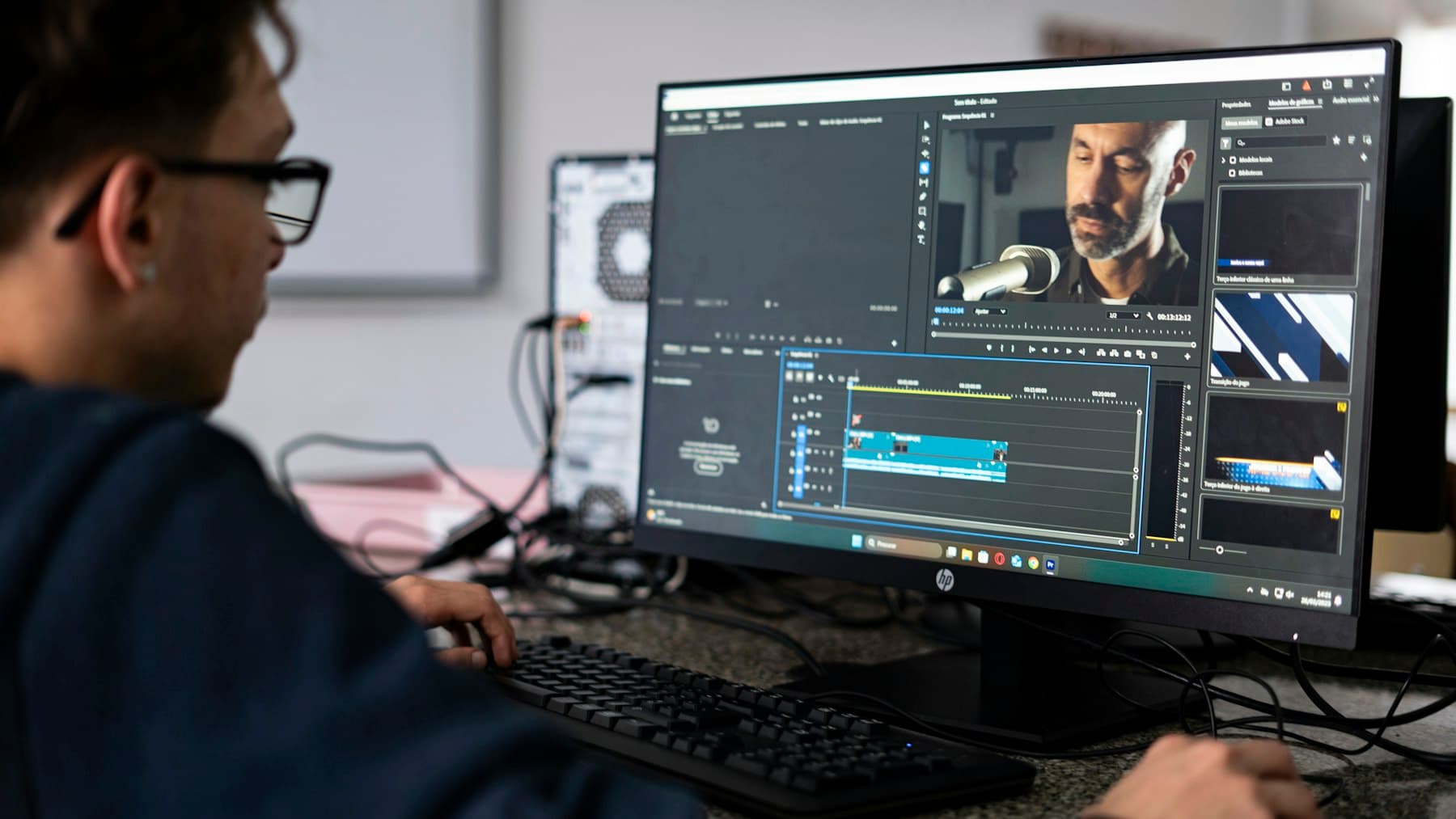
Cover photo by André Eusébio, via Unsplash.
How is video visual analysis different from a transcript summary?
Transcript analysis focuses on language. Video visual analysis focuses on visible evidence. They answer different questions and work best together.
| Comparison | Transcript or caption analysis | Video visual analysis |
|---|---|---|
| Primary input | Native captions, AI transcription, and usable spoken text | Video frames, on-screen text, scene changes, and confirmable context |
| Best at answering | What did the presenter argue or explain? | What appeared on screen, and what actions were performed? |
| Typical output | Summary, chapters, key points, and quotation leads | Objects, tools, interfaces, procedures, charts, values, and approximate timestamps |
| Common blind spot | Buttons, code, actions, and visual changes that were never spoken | Tone, complete verbal reasoning, and explanations delivered off screen |
| Best use | Understand the narration | Fill in visual details and cross-check them against the source video |
Imagine a presenter saying, “Now open this option.” A transcript can preserve that sentence perfectly, but it cannot identify where “this option” is located. If the interface is clear enough, visual analysis may identify the menu, button label, and before-and-after state, turning an ambiguous reference into a more useful action clue.
The reverse is equally important. If the control is hidden or blurry, a trustworthy result should leave it out or mark it as uncertain instead of guessing a label from context.
What can AI extract from a video?
Every video provides a different amount and quality of evidence. For a clear, well-structured tutorial, a visual analysis may include the following information.
1. Visual overview and detected domains
The analysis can first describe what the video mainly shows: a software interface, lab setup, kitchen counter, product teardown, slide deck, whiteboard, or outdoor scene. It can also identify likely subject areas.
This section should explain what is visible rather than repeat a conventional transcript summary.
2. Key visual findings
Useful findings may include:
- a setting being enabled or disabled;
- an error appearing in a terminal;
- a chart changing direction;
- the presenter switching tools, materials, or components;
- a visible safety warning or operating constraint.
When the source supports it, each finding can also include a category, evidence note, importance level, and approximate timestamp.
3. Objects, tools, materials, and scenes
Visual analysis can distinguish equipment, software, instruments, materials, parts, and environments, then explain how they relate to the current step.
That matters in repair, experiments, cooking, design, programming, and product demonstrations, where knowing what was used can be just as important as knowing what was done.
4. Time-ordered procedures
For tutorial videos, one of the most useful outputs is a selected sequence of meaningful steps. Each step may include:
- an approximate timestamp;
- the action being performed;
- the target of the action;
- details that can be confirmed on screen;
- the result after the action.
The goal is not to record every mouse movement or gesture. It is to preserve the moments that help someone understand or reproduce the process.
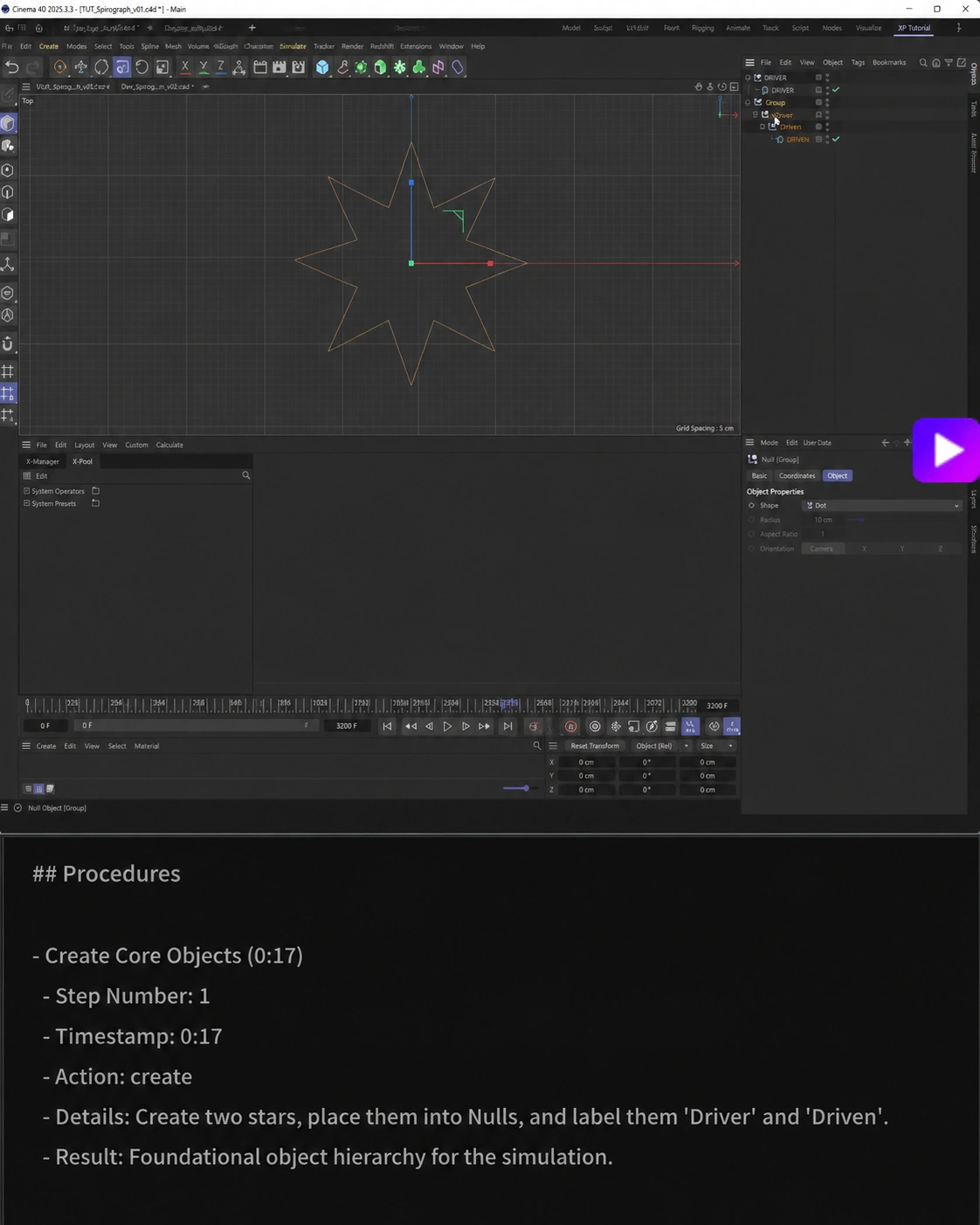
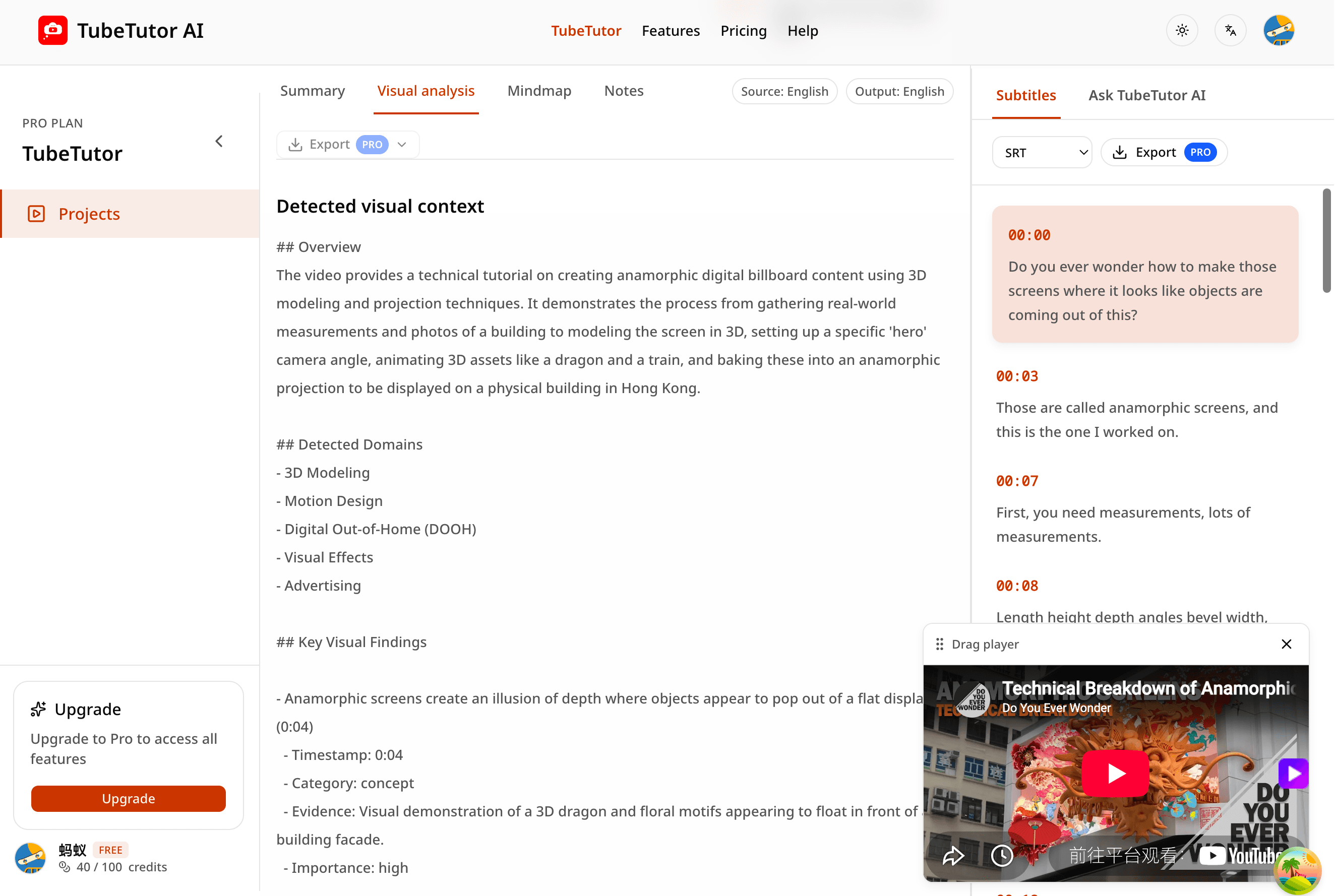
Real TubeTutor analysis result: a visible software action is organized into a step with an approximate timestamp, action, details, and result. Results vary by video, so this does not promise identical output for every source.
5. On-screen text, code, charts, and values
When the source quality allows it, AI can also attempt to extract:
- menus, buttons, webpages, and device labels;
- code snippets, terminal commands, and error messages;
- formulas, flowcharts, diagrams, and plots;
- temperatures, dimensions, ratios, prices, model numbers, and other parameters;
- websites, documentation, or resource names shown in the video.
The central rule is to record only what can be confirmed. A cropped URL, blurry command, or value that flashes for a fraction of a second should not be completed by guesswork and presented as fact.
How to use TubeTutor for video visual analysis
Step 1: Choose a visually informative video
Software walkthroughs, coding tutorials, design processes, repairs, experiments, cooking lessons, fitness instruction, and product demonstrations are often better candidates than a talking-head interview. Clear resolution, stable shots, readable text, and deliberate actions all improve the available evidence.
Different platforms, URL types, and access conditions provide different source material. Use TubeTutor's preflight result to confirm whether the current video is supported before starting a task.
Step 2: Paste the link and complete the initial analysis
Open the TubeTutor YouTube Visual Analysis tool, paste a supported video URL, and confirm the source and output language.
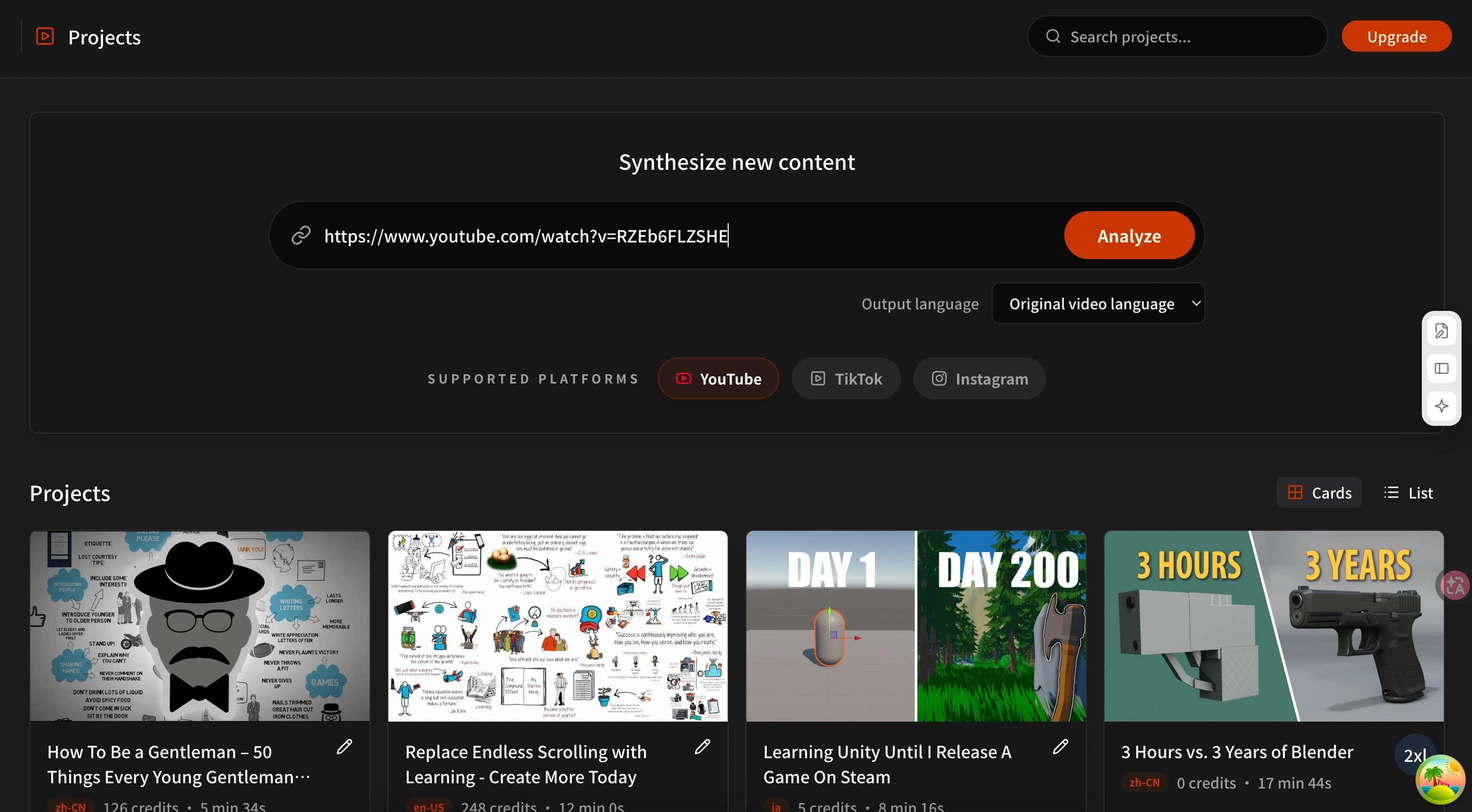
Paste a direct video URL and complete the preflight. The platforms, languages, permissions, and estimated usage available to you are determined by the current interface.
Step 3: Open Visual Analysis
After initial processing finishes, open the Visual Analysis tab and start the visual task. If the page asks you to sign in, save the project, or confirm estimated usage, review that message before continuing.
Visual processing has to inspect the video itself, so it usually takes longer than a text-only summary. A processing state means the task is still running; it should not be treated as a completed result.
Step 4: Read the evidence before the conclusion
Do not stop at the overview at the top of the result. A safer review order is:
- Find the approximate source time for each important observation.
- Check whether its evidence comes from visible text, an object, an interface change, or a demonstrated action.
- Return to the source video to confirm critical names, values, and step order.
- Keep unresolved details as questions instead of filling them in yourself.
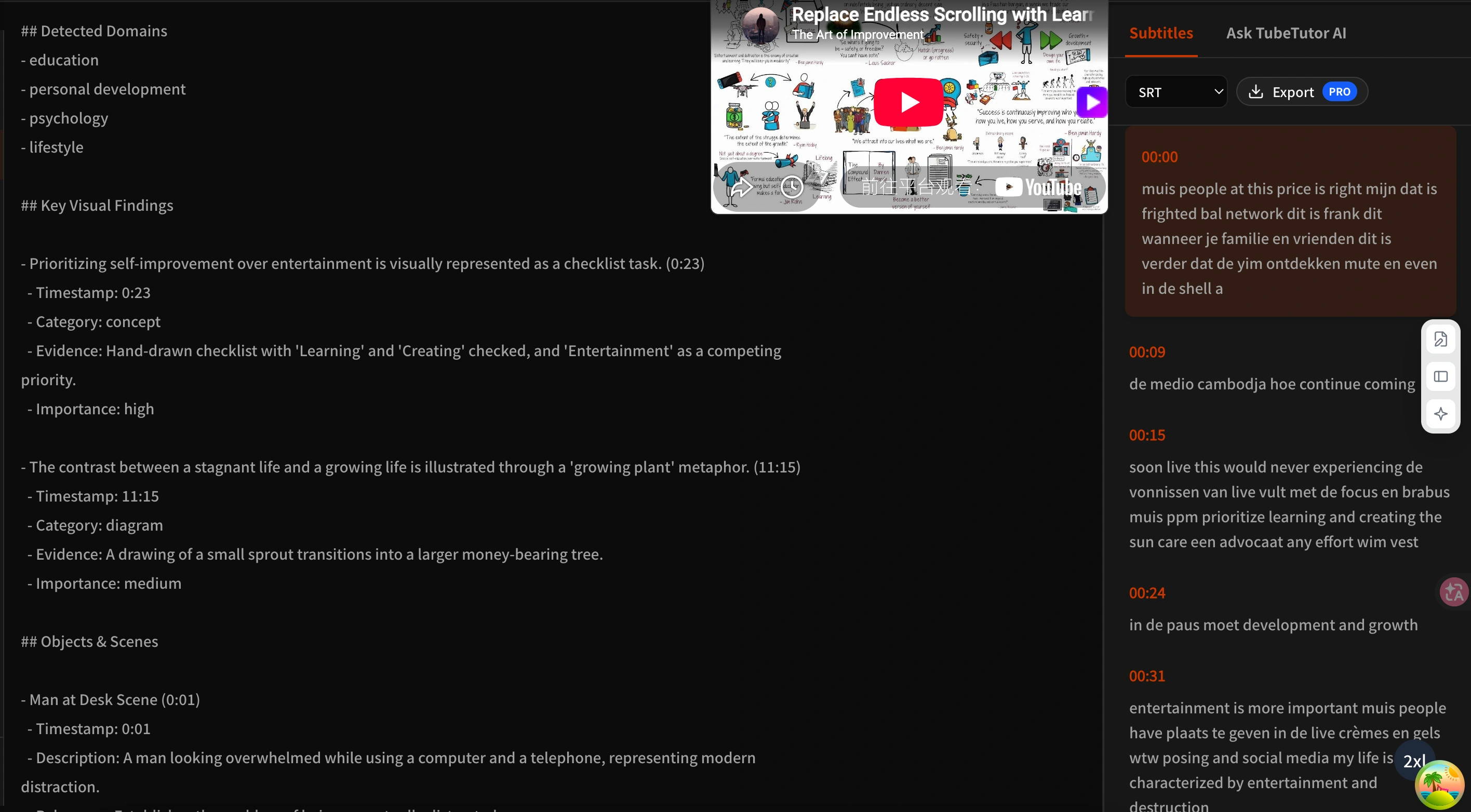
Real TubeTutor analysis result: visual findings and transcript content appear in the same workspace, making it easier to compare what the screen shows with what the presenter says.
Step 5: Reuse the result for review and organization
Once Visual Analysis is complete, you can connect useful findings to the summary, transcript, chapters, notes, and mind map. A completed visual result can also provide on-screen context for an enhanced mind map.
When your account is eligible, supported study materials can be exported to Markdown or PDF or sent to your Notion workflow. Exporting does not make an unverified claim accurate, so check important material against the source before sharing it.
When is visual analysis most useful?
Software and coding tutorials
Interface paths, filenames, code edits, terminal commands, and error messages often appear only on screen. Visual analysis can connect those details to approximate timestamps and create an action index that is easier to revisit.
Design and creative workflows
Layer changes, parameter adjustments, tool switches, and before-and-after states are difficult to capture through captions alone. A structured visual record can help a learner understand how a result developed over time.
Repair, DIY, and experiments
Part placement, tool use, wiring, material specifications, and observed results depend heavily on visual evidence. The analysis can help organize a workflow, but electrical, chemical, mechanical, and structural safety must still be checked against the source, product manuals, and professional standards.
Cooking and fitness instruction
Ingredient state, heat changes, body position, and movement quality may never be fully verbalized. Visual analysis can surface observation clues, but it cannot replace food-safety guidance, a qualified coach, or medical advice.
Lectures, charts, and whiteboard explanations
Formulas, figures, notes, and slide structure may carry the core argument. Visual analysis can make them easier to locate, but exact equations, units, and citations still need manual verification.
How can you judge whether a visual analysis is reliable?
Use four questions:
- Can you find the source moment? Important findings should ideally point back to an approximate location in the video.
- Does the result explain its evidence? “The button label is visible” is easier to verify than an unsupported conclusion.
- Does it preserve uncertainty? Blurry text, occluded content, and ambiguous actions should not become definite claims.
- Does it separate vision from speech? A visual result should not pretend to be a verbatim transcript, and a transcript should not pretend to describe the screen.
A complete structure does not guarantee correct content. Even when a result contains timestamps, categories, and evidence fields, sampling, image quality, scene changes, and model judgment can still affect it.
What are the limitations of video visual analysis?
- Image quality sets the ceiling. Low resolution, rapid motion, glare, and tiny text all make reliable extraction harder.
- Timestamps may be approximate. They are useful for navigation but may not identify the exact frame.
- It does not automatically create a screenshot for every step. The current output focuses on structured text, evidence, and time references. Return to the source video when you need to inspect the frame itself.
- It cannot recover unavailable information. Occluded text, off-screen actions, and inaccessible segments should not be reconstructed through guessing.
- It does not replace professional judgment. Medical, legal, financial, safety, and engineering information must be checked against authoritative sources.
- It does not change content rights. Analyzing a public video does not grant permission to copy, adapt, or republish its footage, script, or creative assets.
Frequently asked questions
Can visual analysis work without subtitles?
Yes. The visual task can inspect the source video without requiring a complete transcript first. The wider project still performs source preflight, and missing spoken text means some verbal context may remain unavailable.
Can visual analysis recognize code and button clicks?
It can identify some code, commands, menus, buttons, and interface actions when the text is readable and the state change is clear. Exact commands, paths, parameters, and anything related to credentials must always be checked character by character against the source.
Why doesn't the result describe every frame?
Visual Analysis prioritizes findings that help someone understand or reproduce the content. Repeated scenes, uncertain material, and low-value micro-actions may not appear in the result.
Can visual analysis replace watching the original video?
No. It is better understood as an evidence-linked study index. The source video remains the final reference for context, movement details, tone, and exact values.
Should I use visual analysis or a mind map first?
If the video's essential information is concentrated on screen, run Visual Analysis first and then generate an enhanced mind map that can use both transcript and visual context. If the video is mostly spoken explanation, the transcript, chapters, and summary may already be enough.
Move from hearing the video to understanding the process
The value of video visual analysis is not that it produces a longer description. It turns easy-to-miss actions, objects, text, and changes into clues that can be located, checked, and reused.
Separate spoken and visual evidence, examine timestamps and evidence notes, and return to the source for critical details. The result is not simply polished AI copy; it is a structured reference that is better suited to learning, reproduction, and review.
Author

Categories
More Posts
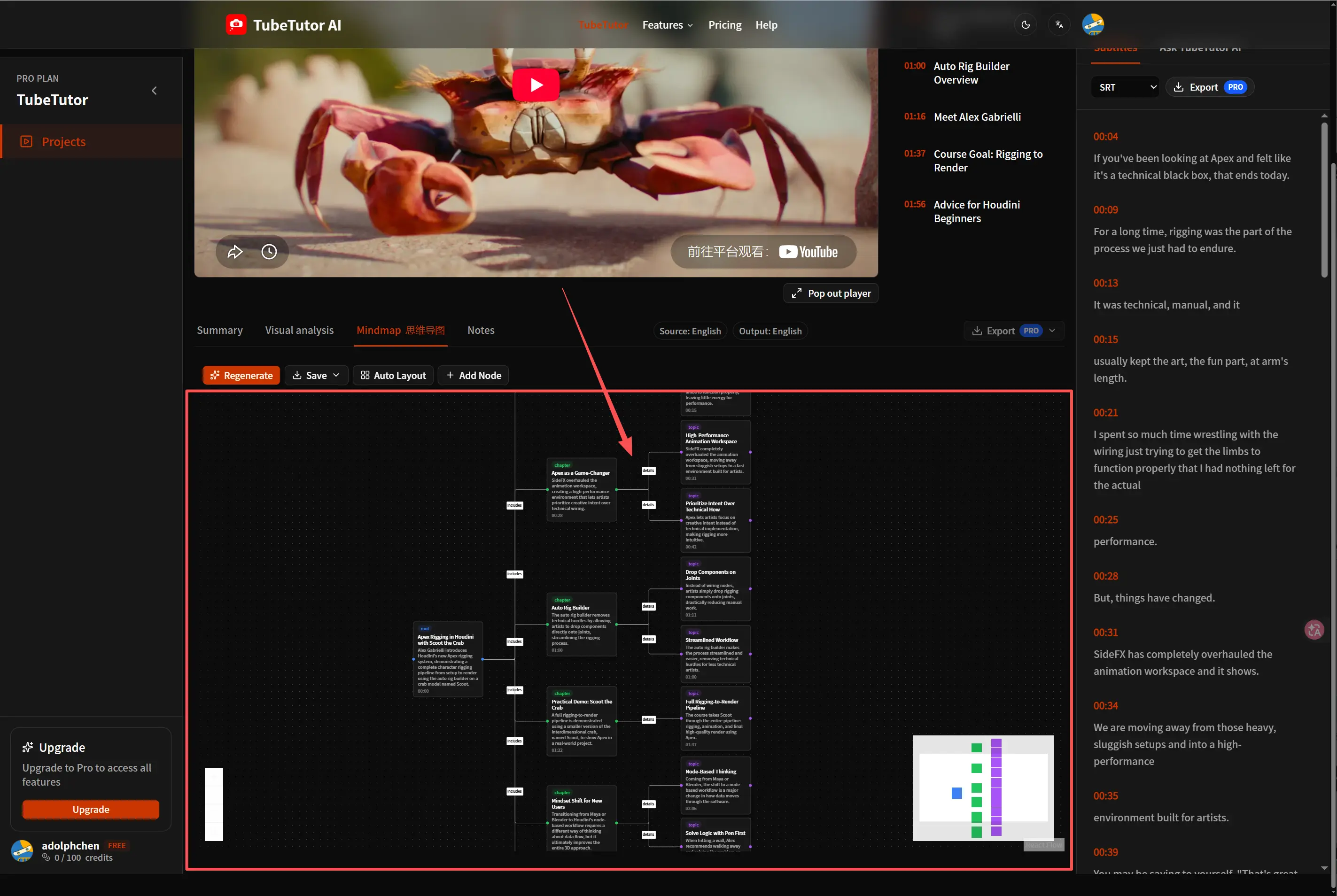
How to Turn a YouTube Video into an Editable Mind Map
Convert a long YouTube tutorial into an editable mind map, refine its structure, and keep the result connected to your transcript and study notes.
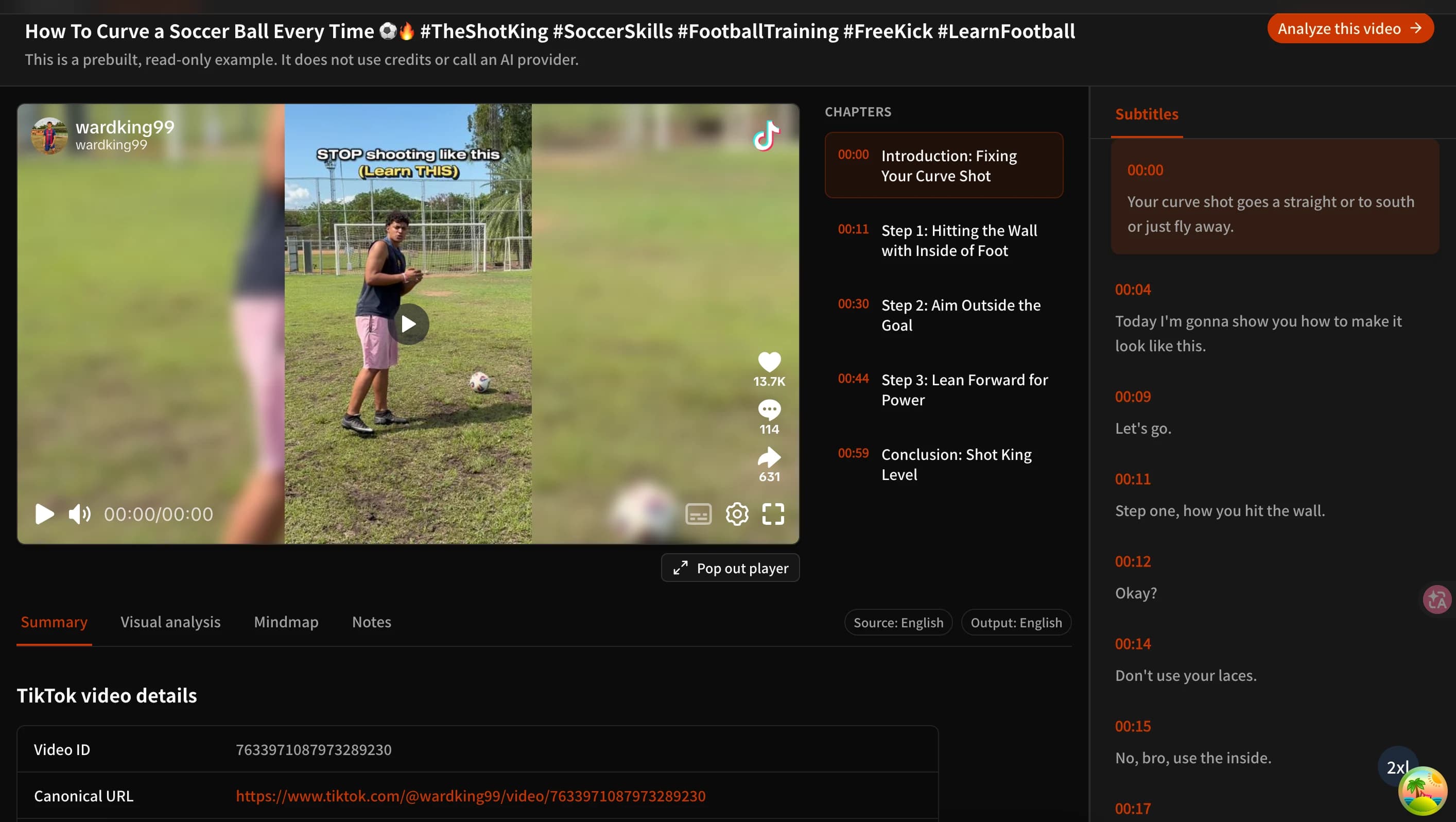
How to Summarize TikTok Videos with AI (Free TikTok Video to Text Summarizer)
Learn three practical ways to summarize TikTok videos with AI, turn usable speech into text, review visual details, and try TubeTutor free without signing up.
YouTube Transcript to AI Summary: Step-by-Step Guide
Turn a timestamped YouTube transcript into a useful AI summary while preserving source context, checking accuracy, and building better study notes.
TubeTutor Updates
Learn faster from video
Get product updates, AI video learning workflows, and tips for turning tutorials into summaries, mindmaps, and notes.