How do I translate subtitles on a YouTube video?
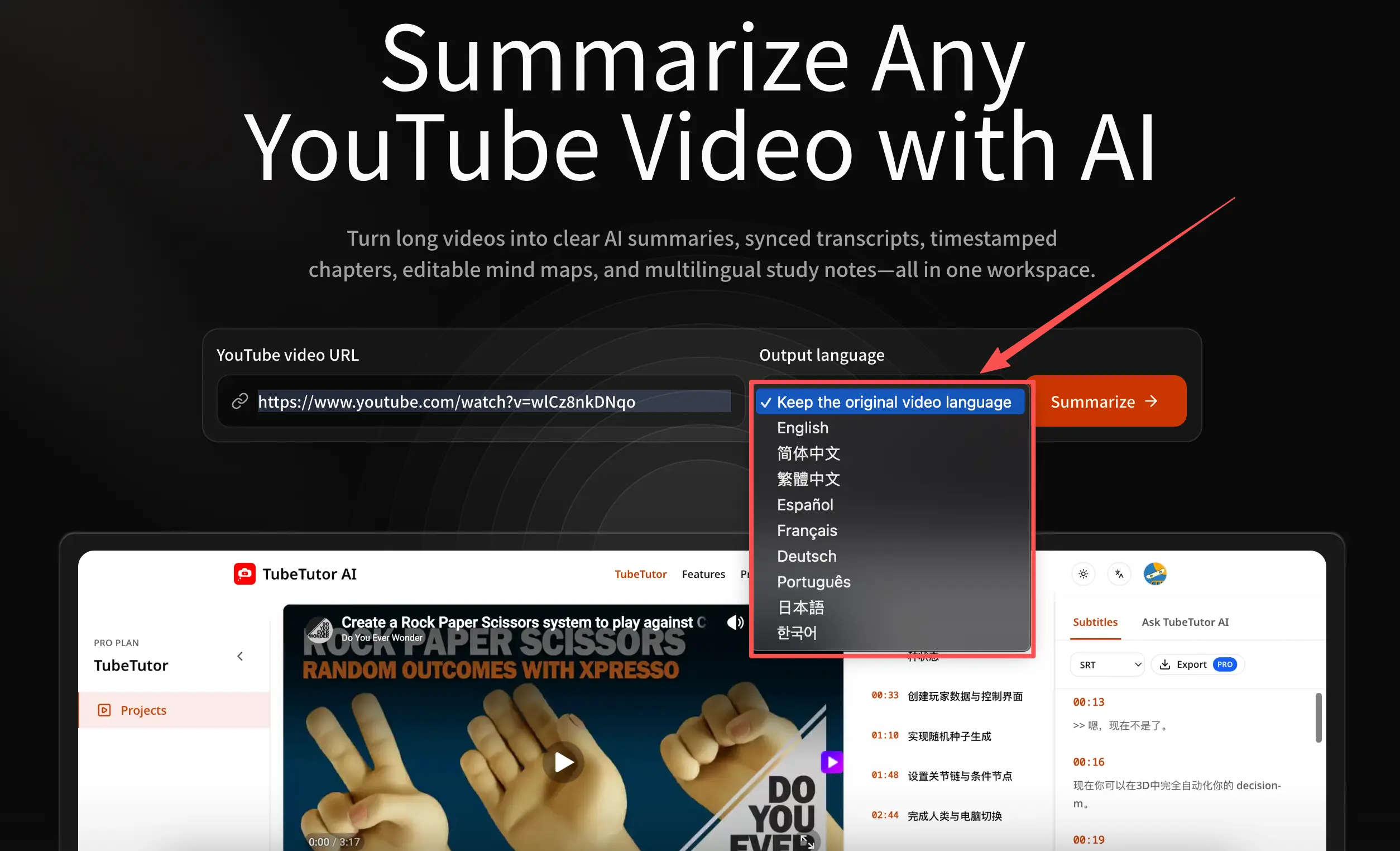
Paste the YouTube URL into TubeTutor, choose one of the supported output languages, and review the preflight information. After you confirm, TubeTutor processes the available captions or required AI transcription and creates localized subtitle segments. Each segment remains attached to its source timestamp, so you can select it and return to the matching moment in the video.
Can YouTube automatically translate subtitles?
YouTube offers automatic caption translation for many videos inside its player when captions are available. TubeTutor is useful when you want the translated text organized as a reusable project with synchronized segments, localized chapters, summaries, and eligible export options. Availability and quality still depend on the source captions, audio, language pair, terminology, and access to the video.
Can I translate YouTube subtitles to English?
Yes. Select English before analysis when the source video is in another supported language. The project uses English for the translated subtitle segments and supported generated content. If the source captions are unavailable, TubeTutor may need AI transcription first; the preflight explains that requirement and its estimated credit cost before you continue.
How accurate are AI-translated YouTube subtitles?
Accuracy depends on the source caption or transcription, audio quality, speaker clarity, terminology, accent, and language pair. Names, technical vocabulary, humour, and culturally implied meaning can be difficult. Use the synchronized timestamps to check important passages against the original video, and obtain qualified human review before using a translation for legal, medical, or other high-stakes decisions.
Can I download translated YouTube subtitles?
Eligible Pro users can export the project’s processed subtitle track as SRT, TXT, or Markdown. SRT preserves subtitle cue timing, Markdown places timestamps beside readable text, and TXT contains one subtitle segment per line without timestamps. Always review important translated wording against the source before publishing or redistributing the exported file.
Which languages can TubeTutor translate subtitles into?
TubeTutor currently offers nine output choices: English, Simplified Chinese, Traditional Chinese, Spanish, French, German, Portuguese, Japanese, and Korean. The selector shown before analysis is the source of truth because availability may change. Choose the option that fits your learning, team, travel, or content-localization workflow before processing the video.
Can I also summarize the translated subtitles?
Yes. Supported generated modules use the project’s selected output language, so you can review localized subtitles and a concise overview in one workspace. Open the YouTube Video Summarizer when you want the core ideas and key takeaways rather than the full line-by-line translated text.
How do I download the original transcript?
Use the YouTube Transcript Generator with the original video language selected to create a timestamped source transcript. You can read and copy it in the project, while eligible Pro users can export SRT, TXT, or Markdown. Keep the original transcript when you need to compare a translation with exact source wording.