How do I get a transcript of a YouTube video?
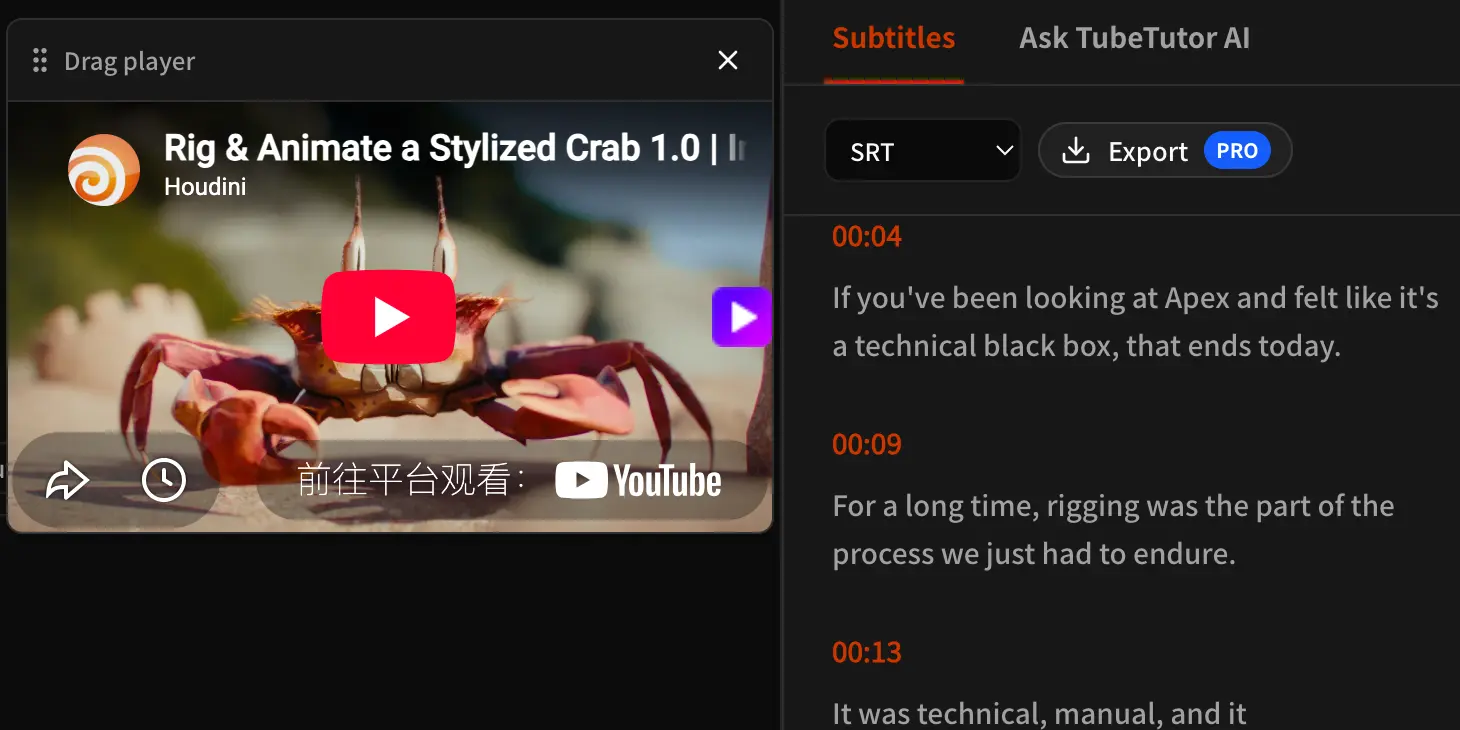
Paste the YouTube video URL into TubeTutor’s YouTube Transcript Generator. Preflight identifies the video, captions, source language, and duration. A guest can use one temporary transcript for one video up to 5 minutes in the single output language selected before analysis. A signed-in user also sees the active credit estimate and saves the transcript in a private project. Each segment has a clickable timestamp.
Is there a free YouTube transcript generator?
Yes. A guest can temporarily read one transcript for one video up to 5 minutes in one selected output language without account credits. It is not saved after leaving or refreshing. Full export and saving require sign-in. New accounts receive 200 starter credits once, valid for 30 days.
Can I download YouTube transcripts with timestamps?
Yes. TubeTutor turns the available captions or AI transcription into timestamped transcript segments that stay synchronized with the video player. Eligible Pro users can download the subtitle track as SRT, TXT, or Markdown. Choose SRT when you need subtitle cue timing, or Markdown when you want a readable table that keeps each timestamp beside its transcript text. TXT contains only the spoken text, one subtitle segment per line, so it does not preserve timestamps. You can also click timestamps in the project before downloading to verify important wording against the original video.
How do I extract a transcript from a YouTube Short?
Copy the URL of the YouTube Short and paste it into TubeTutor’s YouTube Transcript Generator just as you would with a standard video. TubeTutor recognizes YouTube /shorts/ links, checks whether captions are available, and converts the Short to a standard video reference for processing. After you confirm the preflight estimate, the transcript appears in synchronized, timestamped segments. Short videos can still contain music, rapid speech, overlapping voices, or limited captions, so transcript quality depends on the source audio and available caption track. Review important lines with the clickable timestamps before reusing or quoting them.
What format can I download the transcript in?
TubeTutor’s subtitle export menu currently offers SRT, TXT, and Markdown to eligible Pro users. SRT is the best choice when another video or subtitle tool needs numbered cues and start-to-end timecodes. Markdown creates a readable two-column table with a timestamp beside each transcript segment, which is useful for notes, documentation, or publishing workflows. TXT exports only the transcript text, with one segment per line and no cue numbers or timestamps. All three use the project’s processed transcript; if you only need a quick excerpt, you can also review and copy text directly from the synchronized Subtitles panel.
Does YouTube automatically generate transcripts?
YouTube can use automatic speech recognition to generate captions for long-form videos and Shorts in supported languages, and a transcript is available when a video has captions. However, automatic captions are not created for every video and may be delayed or unavailable because of the language, video length, poor audio, silence, or overlapping speakers. Machine-generated captions can also mishear accents, names, technical terms, and background speech. TubeTutor therefore checks caption availability during preflight and may offer AI transcription when usable native captions are missing. Always verify important transcript wording with the synchronized timestamps and original video.
How do I translate a downloaded YouTube transcript?
TubeTutor does not currently import a transcript file from your device. If you downloaded a YouTube transcript elsewhere, return to the original video URL and open TubeTutor’s YouTube Subtitle Translator. Choose the target output language before analysis, then use it to translate into one of the supported languages while keeping each subtitle segment aligned with its timestamp and source video. Review the localized transcript in the project, then use the available export options if your account is eligible. Keep the original download as a reference, especially when names, specialist terms, or unclear audio need manual verification.
What's the best YouTube transcript generator?
The best YouTube transcript generator depends on how you plan to use the transcript. Look for accurate source handling, clickable timestamps, clear limits, useful export formats, and source verification. TubeTutor offers one temporary guest transcript, Chapters, first Summary, and Notes for one video up to 5 minutes; signed-in users can save projects and eligible Pro users can export complete files.